Reorder the song cards and the running time of the whole show is calculated for you. Song order, MCs, changeovers and breaks are all visible at a glance, so you know before you walk on stage whether you fit inside your slot. A practical, screenshot-by-screenshot guide to building setlists for amateur bands, wind ensembles, big bands and jazz sessions.
Free to try without logging in. Sign up only when you want to save your work.
FEATURES
What you can do with this tool
Everything a live running order needs, managed together on a single screen.
Shape the song order
Drag the song cards into place to match the flow of the show. Designing where the peaks land becomes intuitive.
Automatic time totals
Enter the length of each song and the totals per set and for the whole show appear on screen, along with the time you have left.
MCs, changeovers and breaks
Build in the time for talking, breaks and stage changeovers as well as the music, for a running order that survives contact with the day.
Solos and players on record
Note down features, who takes each solo, instruments and tags, so the plan for the day is easy to share.
Print and export
Output the running sheet from the print view. CSV export is supported too, so it is ready to use on stage.
Save and duplicate
Log in and your setlist is saved to the database. Duplicate a past setlist and edit it for your next show.
ABOUT
What is Setlist Simulator?
Setlist Simulator is a web tool that makes the shape of a live show or concert visible. With handwritten notes or a spreadsheet, every time you swapped a song you had to recalculate the total by hand. Here you simply reorder the song cards: the running time recalculates itself, so you always know whether you are still inside your allotted slot.
Programmes split into Set 1, Set 2 and Set 3 are supported as well. Because you can build a realistic running order that includes MCs, breaks and changeovers, you head off the classic show-day problems: running long without noticing, or discovering there is no time left for the encore.
HOW TO
The basics in six steps
Even if this is your first time, follow this sequence and your setlist is done in a few minutes.
1
Create an event
Enter the show name and date to create the container - the event - that holds your new setlist.
2
Add song cards
Add the songs you will play. MC, break and changeover cards are added in exactly the same way.
3
Enter the durations
Enter how long each song runs. Soloists, players, instruments and tags can be recorded alongside it.
4
Reorder the songs
Drag the song cards to adjust the order until it matches the flow you want on the night.
5
Check the total time
Check the total including songs, MCs, breaks and changeovers, and how much of your slot is still free.
6
Print or save
Output it from the print view, or log in and save it to the database. Next time, just duplicate it.
GUIDE
The walkthrough, screen by screen
Follow the real screens, from creating a setlist through to printing it.
STEP 01
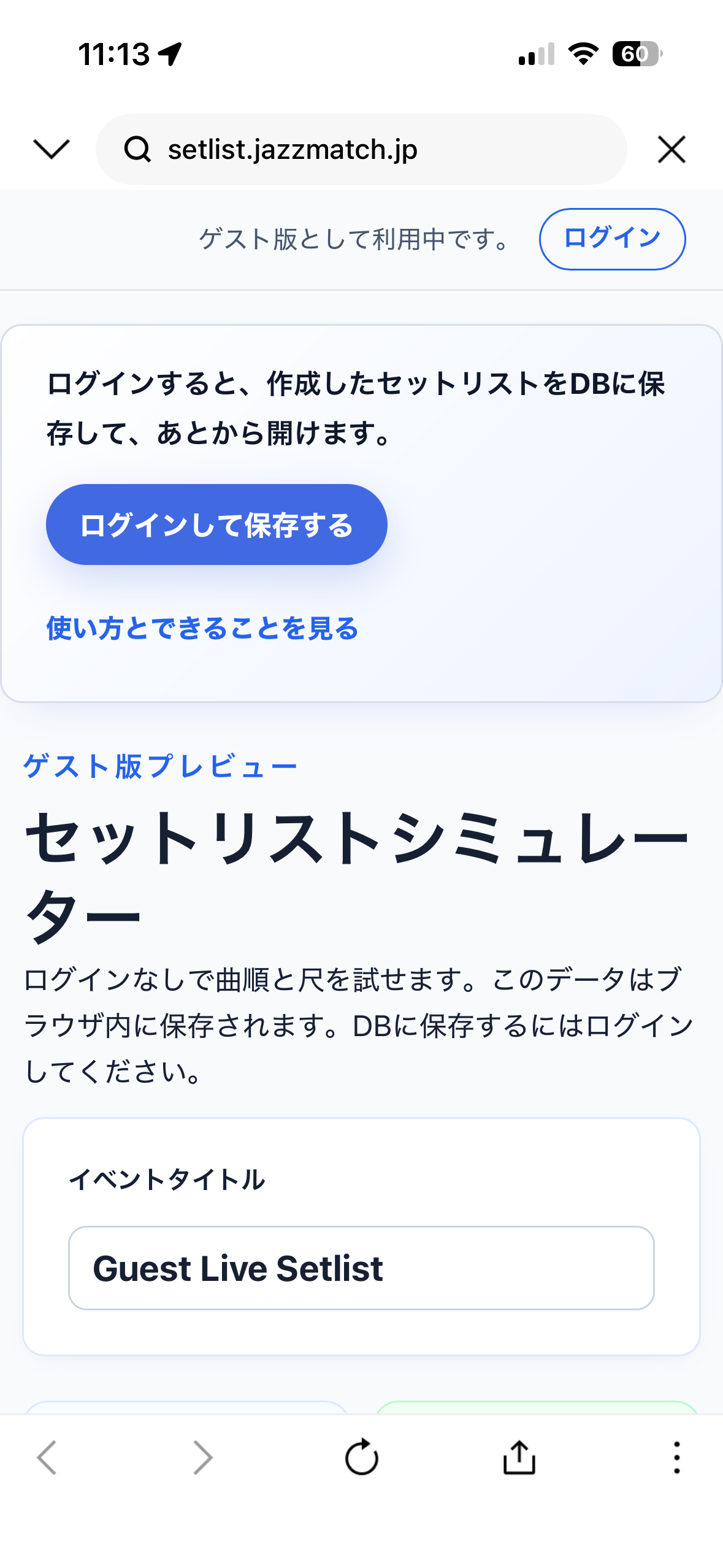
Start without logging in
You can start using it straight away from the top screen as a guest. When you just want a feel for the song order and the timings, try it free without logging in. Anything you create is stored inside your browser.
STEP 02
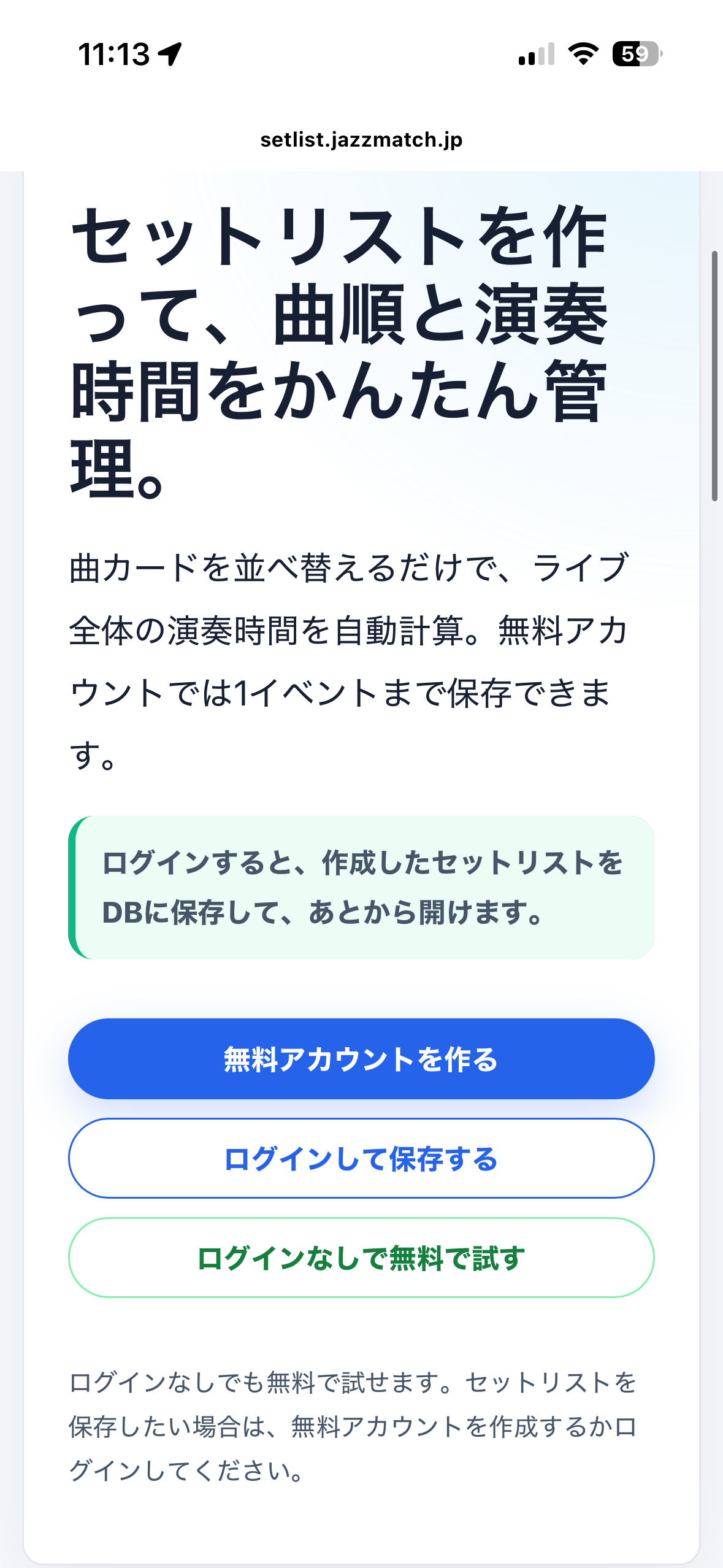
Create a free account if you want to save
If you want to save the setlist you build to the database and open it again later, create a free account. Registration is free, and even on the free plan you can save one event.
STEP 03
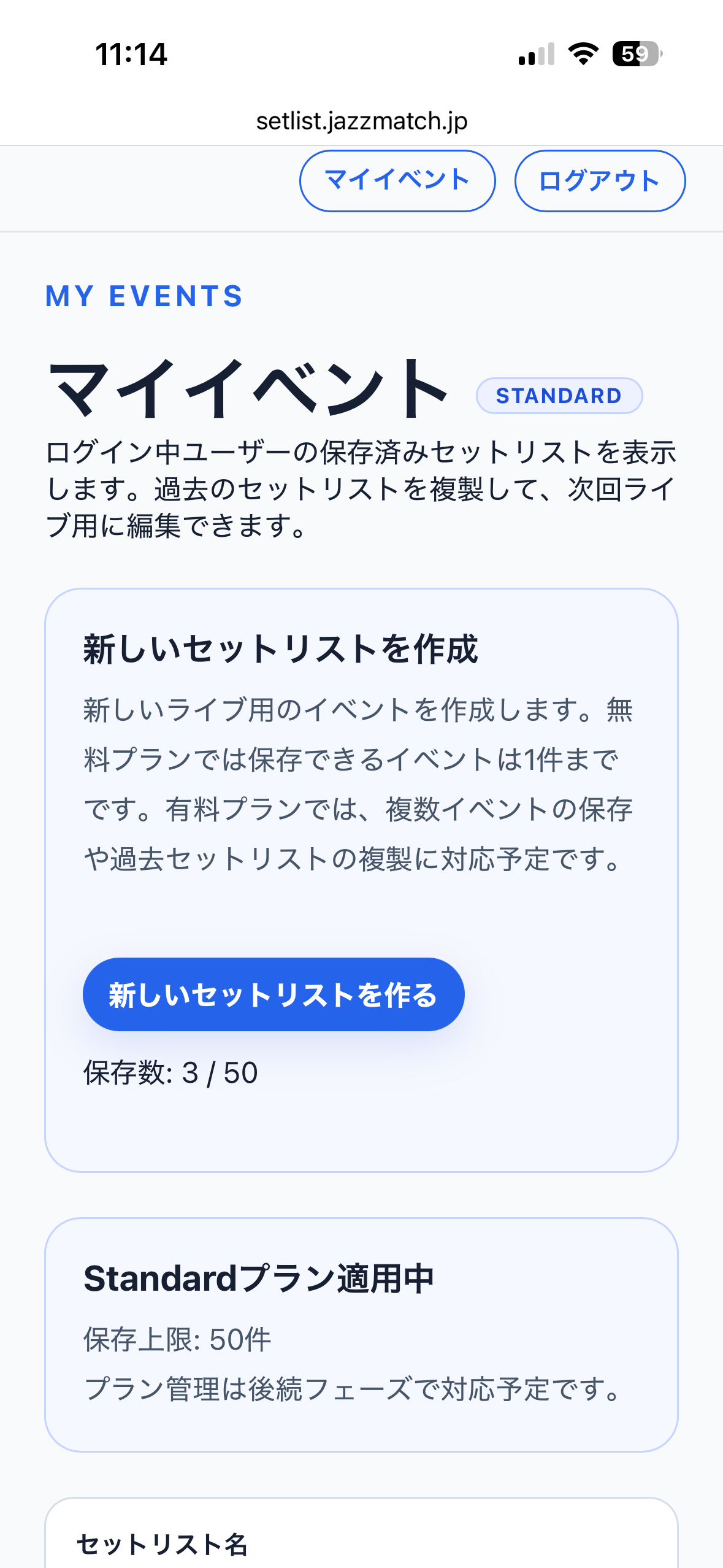
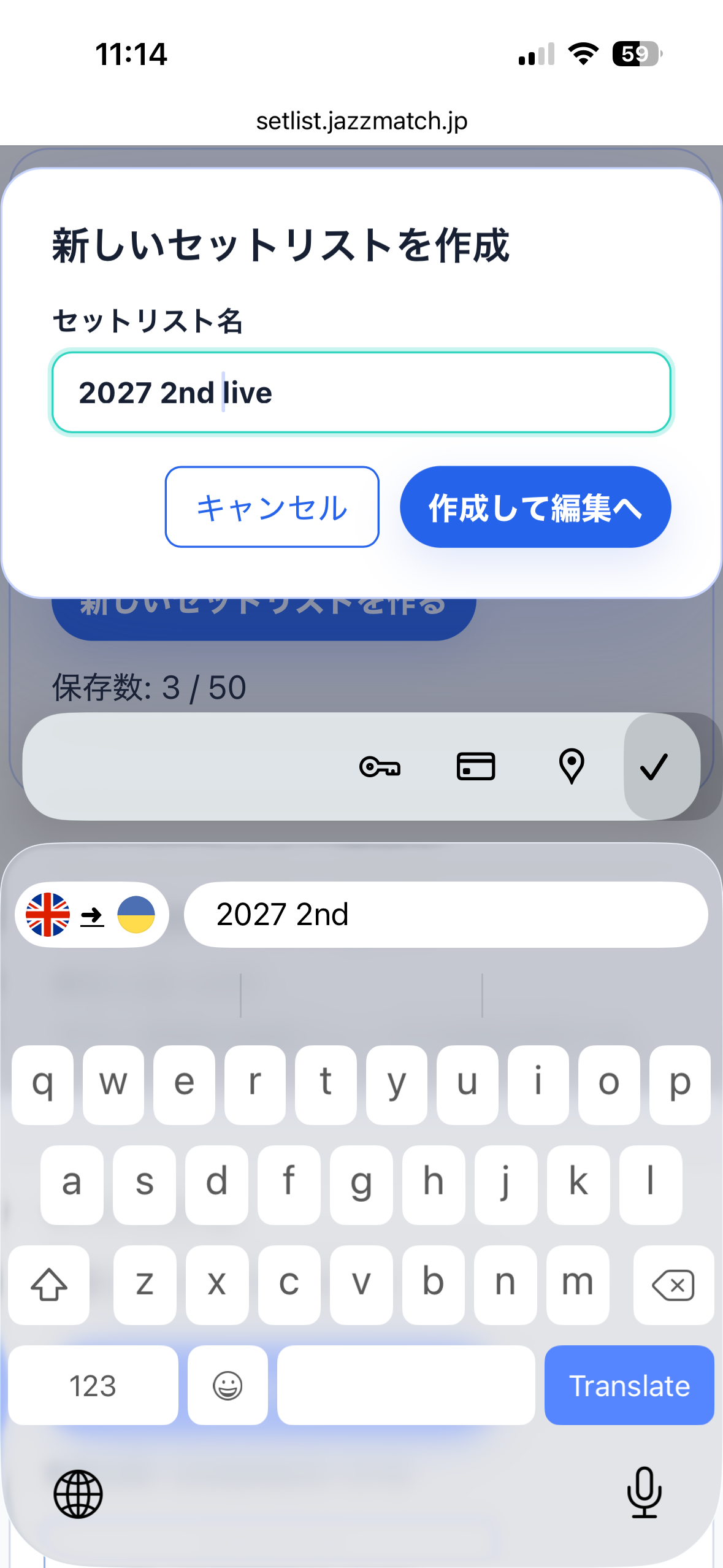
Create a new event
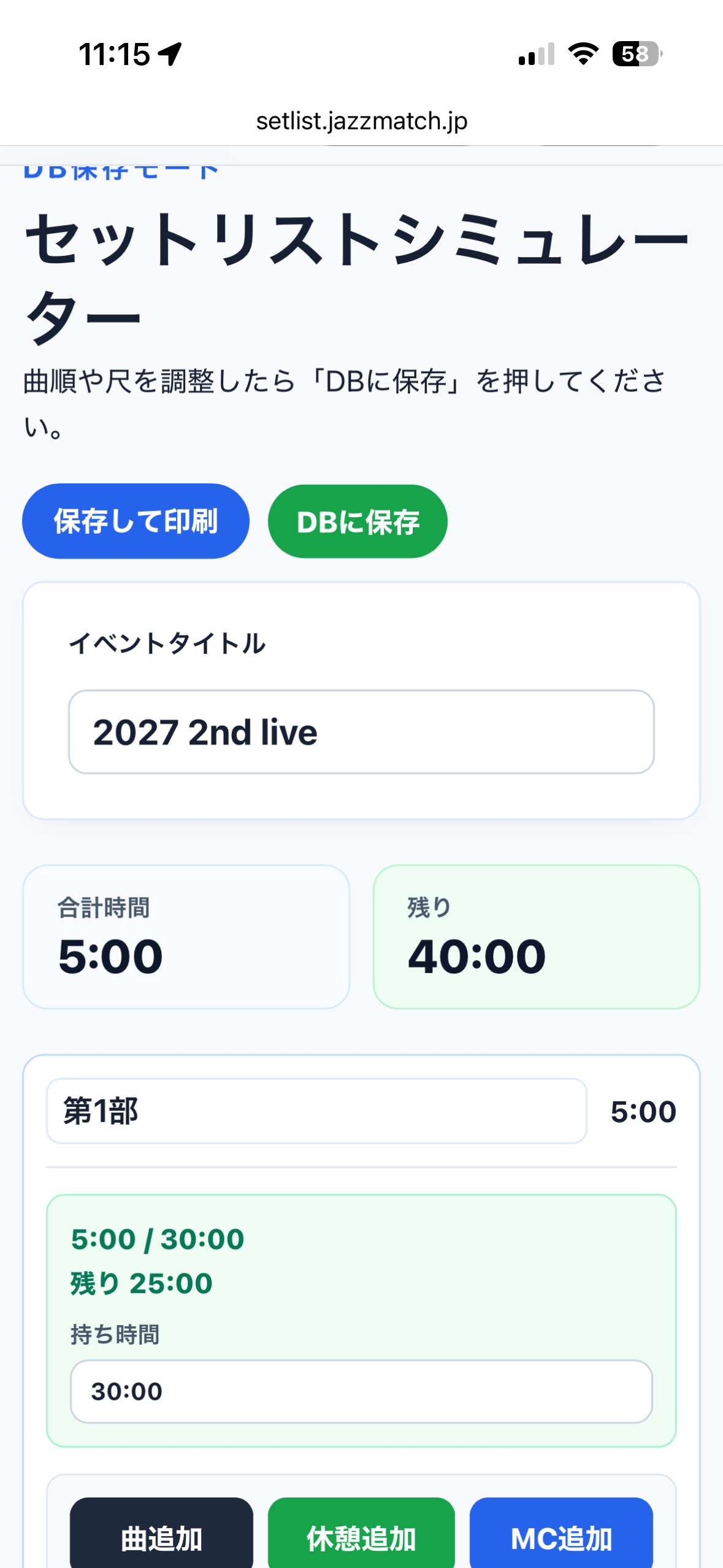
On the My Events screen, choose to create a new setlist and enter the show name (for example, 2027 2nd live). Every setlist you have saved is listed on this screen.
STEP 04
Build the running order in the editor
In the editor you add elements with Add song, Add break and Add MC. You can set a time slot for each set - Set 1, Set 2 and so on - and the total and remaining time stay on screen the whole time.
STEP 05
Fill in the details on each song card
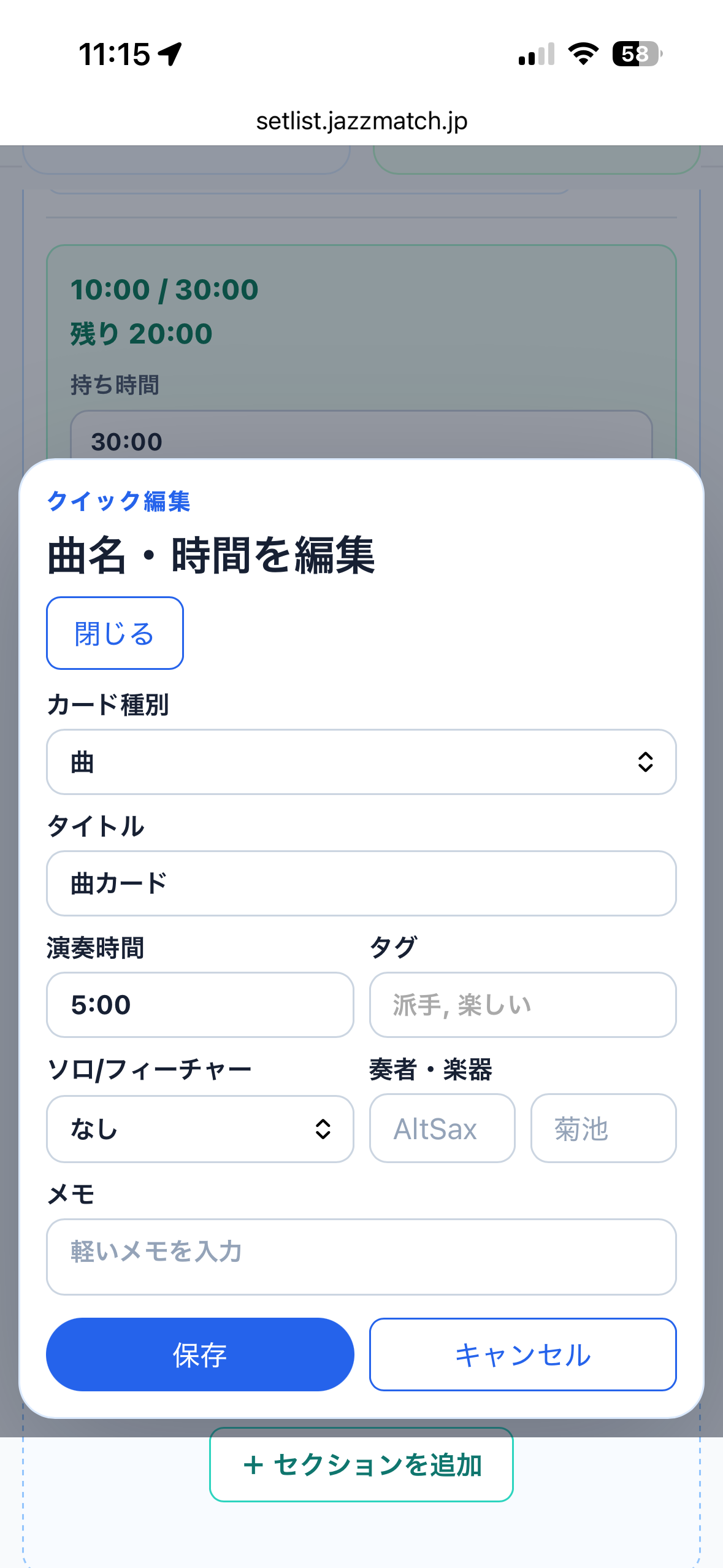
From the edit title and duration option, record the song title, performance time, tags, solos and features, players and instruments, and any notes. Everything about that number fits on one card.
STEP 06
Drag to adjust the order
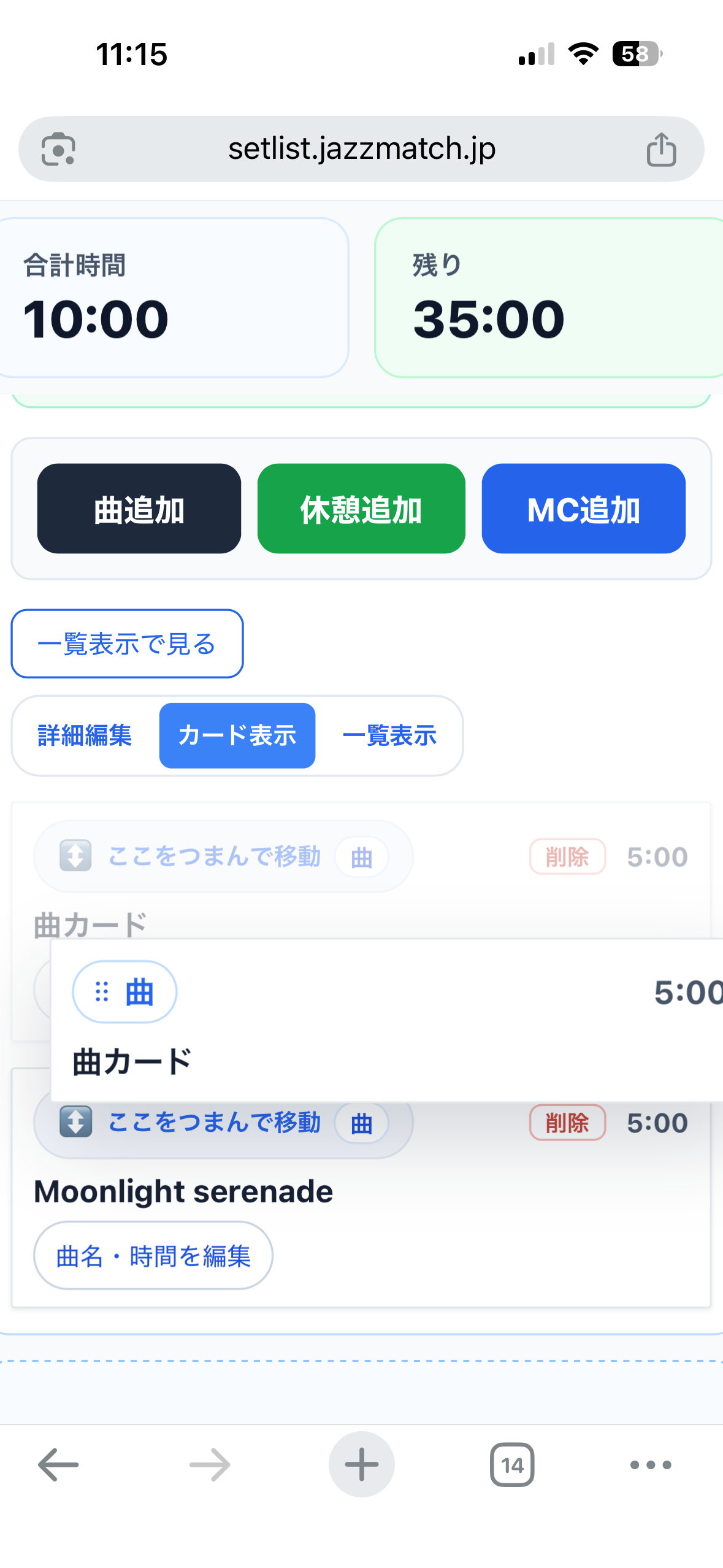
Take hold of the drag handle on a song card and drop it where you want it. Rearrange the flow as freely as you like while you shape how the show builds.
STEP 07
Check the total and the time left
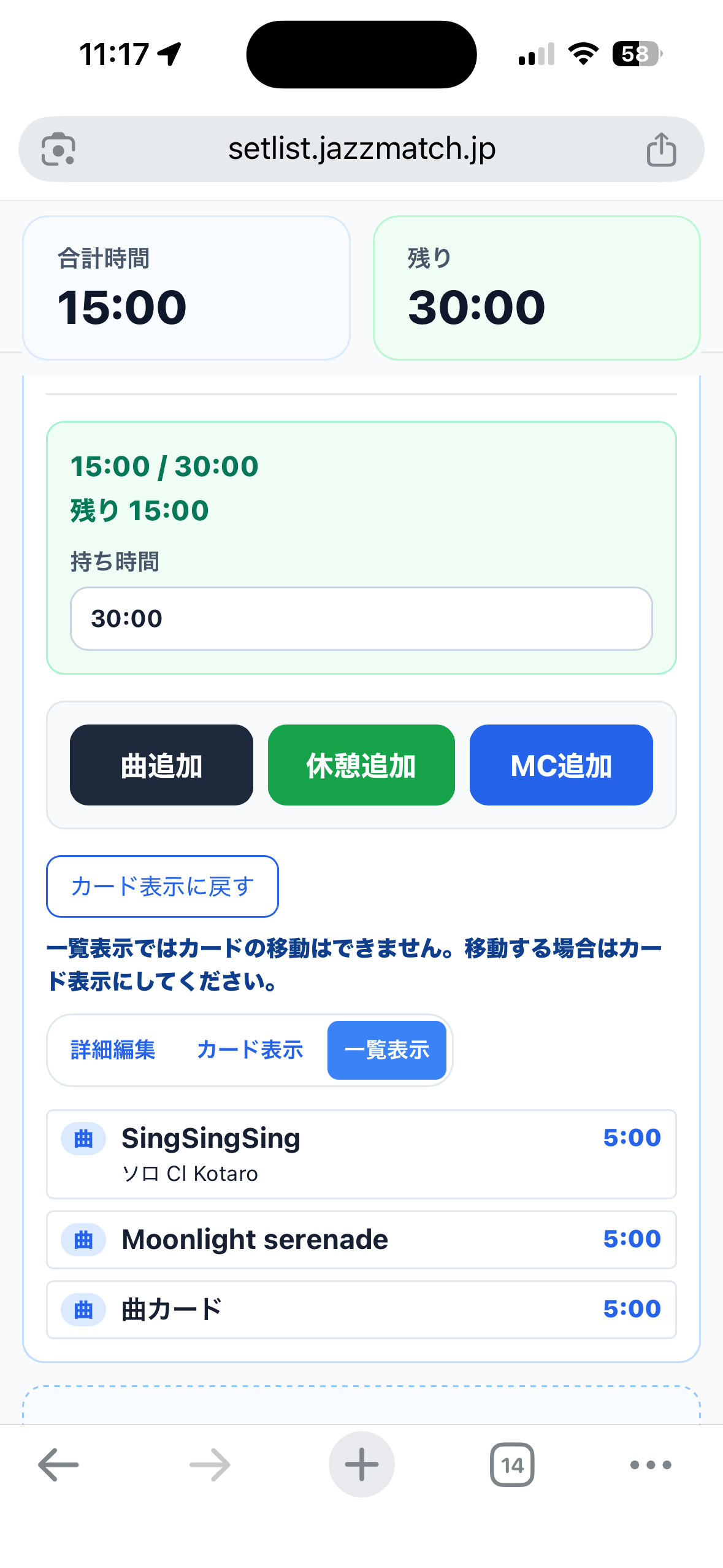
Switch to list view and the titles and lengths line up cleanly. The total including songs, MCs, breaks and changeovers, and how much of your slot is left, are visible at a glance.
STEP 08
Print it and take it on stage
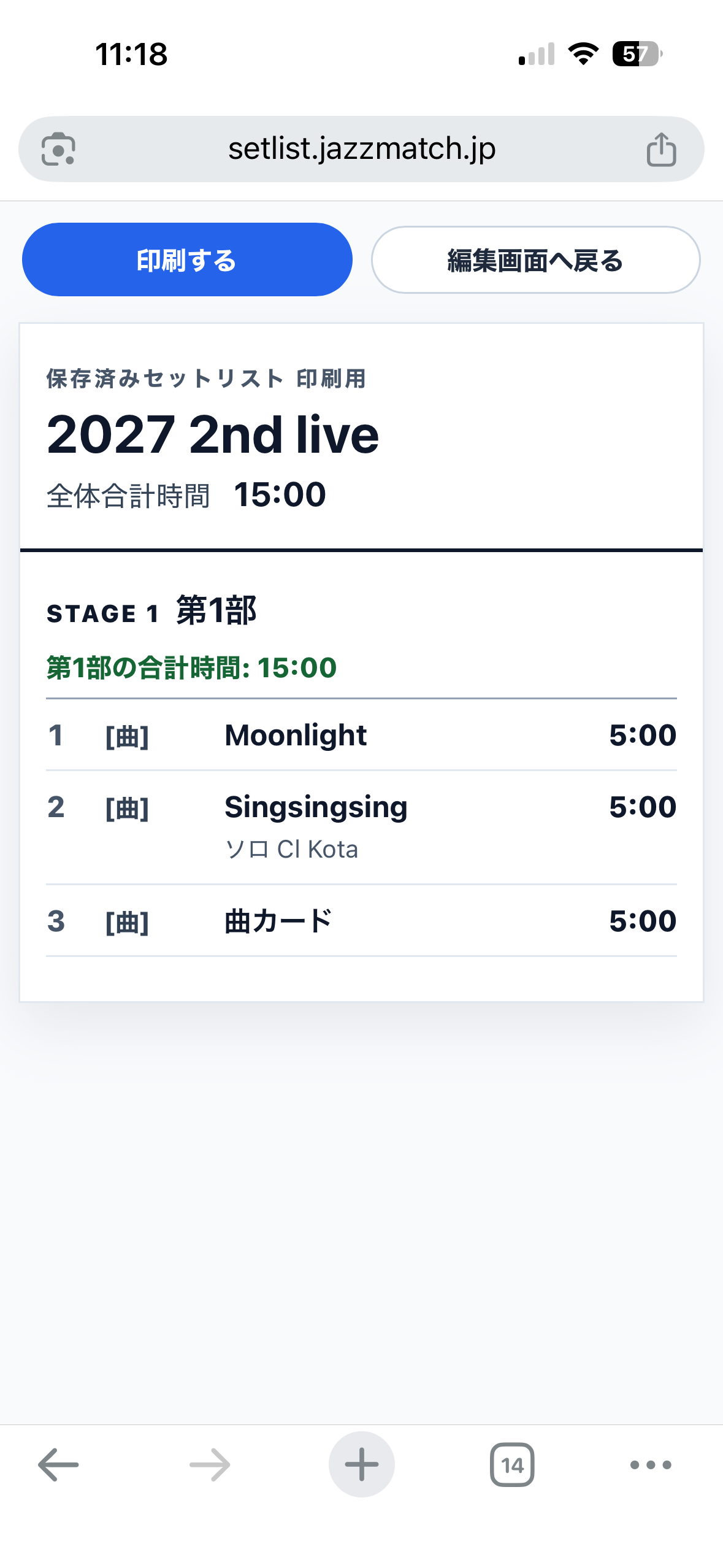
The print view arranges a numbered song order and the total time for each set - Set 1 and so on - in an easy-to-read layout. Print it as it is and use it as your running sheet on the day.
USE CASES
Where it comes in handy
Amateur band shows
Share the balance of song count and lengths across the band so the set fits inside your slot.
Wind ensemble concerts
Design the whole programme, including the Set 1 to Set 3 structure and the changeover time between them.
Big bands
Record the solo rotations and features, and see where the highlights fall along the timeline.
Jazz sessions
The host can plan the song order and the gaps for MCs, and keep the night running smoothly.
Recitals and school events
Manage the time slot for each performer and keep the event as a whole from running long.
Event slots
Put together a realistic set quickly to fit the performance slot you have been given.
PRICING
Plans
The core features are free. Increase how much you can save when you need to. The 30-Day Pass and Standard are available from the My Events screen once you are logged in.
Free plan
¥0
•Save up to one event
•Basic editing and performance time calculation
•Try it out without even logging in
30-Day Pass
¥400
•For people who only need it for 30 days
•No automatic renewal
•Save several events during the period
•Reverts to the free plan once it expires
Standard
¥300 / month
•Save several events
•Duplicate past setlists
•CSV export
•Shared URL, QR code and print view planned in stages
Note: shared URLs, QR codes, AI sheet-music reading and similar items are under consideration as future features.
FAQ
Frequently asked questions
Can I use it without logging in?
+
Yes. Even without logging in you can try out song order and running time for free in the guest version. Anything you create is stored inside your browser. If you want to save a setlist to the database and open it again later, create a free account or log in.
How is the performance time calculated?
+
On top of the performance time you enter on each song card, the time for MCs, breaks and changeovers is added in, and the tool automatically calculates the total for each set and for the show as a whole. Enter your time slot and the remaining time is shown as well.
Is there a charge?
+
The core features are free. The free plan lets you save up to one event and use editing and performance time calculation. If you need to save several events or duplicate past setlists, you can use the 30-Day Pass (¥400) or Standard (¥300 per month).
Can I print it and use it on stage?
+
Yes. The print view lays out the song order, performance times and total time for each set in an easy-to-read format. Print it as it is and use it as your running sheet on the day.
What kinds of groups is it for?
+
Amateur bands, wind ensembles, big bands, jazz sessions, recitals, event slots and any other situation where you want to manage song order and time.
Our services
Setlist Simulator is one of the services JazzLink Studio runs to support people making music.